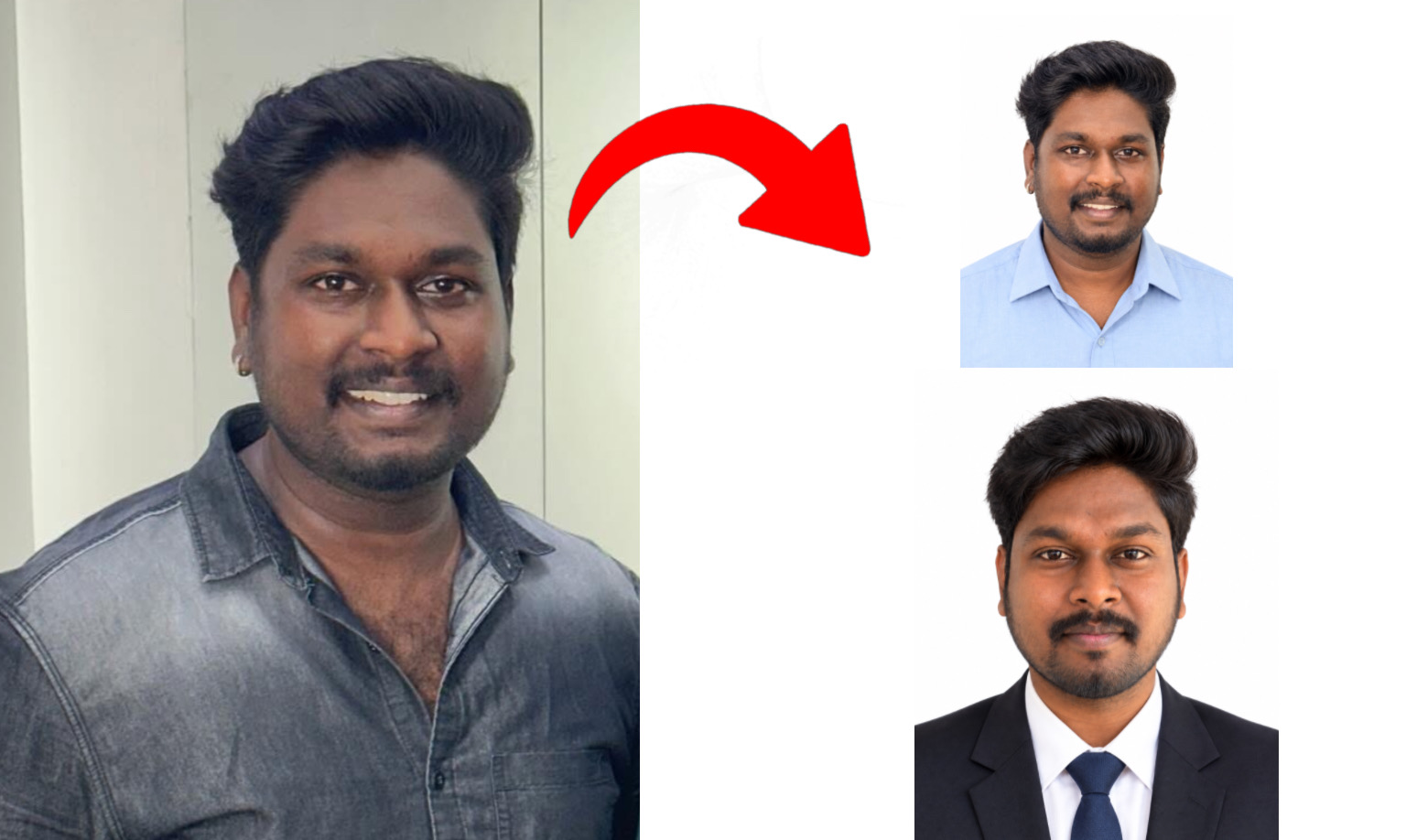
For Single Photo Use below Prompt:
“Use the uploaded photo as the exact identity reference. Preserve the face with maximum possible accuracy, including facial structure, eyes, nose, lips, skin tone, natural texture, hairstyle, and age. Do not beautify, smooth, reshape, or alter identity. Change only the clothing to simple formal attire (a plain collared shirt or blouse), background to pure white, and framing to a standard Indian passport-size portrait (35 × 45 mm). Keep the face centered, facing forward, eyes open, with a subtle closed-mouth smile and even studio lighting. Maintain realistic skin texture, sharp focus, natural proportions, and authentic photographic quality. No filters, artificial enhancements, shadows, or background objects. Identity preservation is the highest priority; do not recreate or reinterpret the face.”
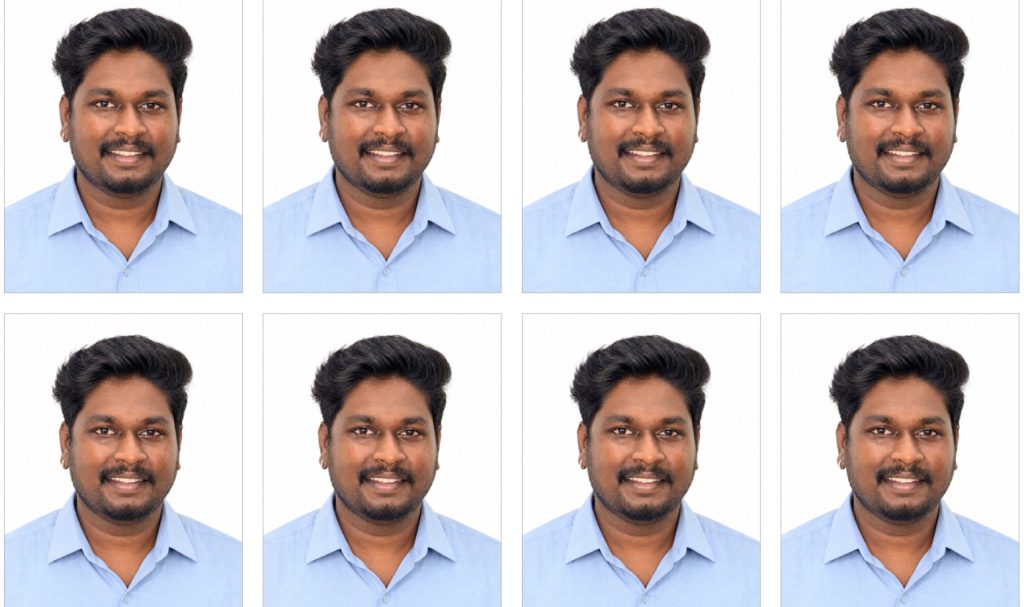
To Create Single Passport Photo into 8X8 Passport Photo Use this Prompt:
“Use the uploaded portrait as the exact identity reference. Preserve the person’s face, facial features, skin tone, hairstyle, and natural texture without beautification or alteration. Create a horizontal (landscape) 4 × 6 inch printable photo sheet at 300 DPI (1800 × 1200 pixels), containing 8 identical passport photos arranged in 4 columns × 2 rows. Each photo must be exactly 35 × 45 mm, with a pure white background, consistent sizing, even spacing, and thin light-grey cut guides. Keep every photo upright, centered, sharp, and photorealistic. Maintain accurate proportions and clean alignment. Use a plain white sheet with no text, logos, borders around the page, or decorative elements. Ensure the layout fits within the 4 × 6 inch landscape canvas and is ready for printing at 100% actual size without scaling.”
Use Already Created Single Passport Size Photo For to create 8X8